
Merchant ID configuration is one of the most important setup steps behind card payment acceptance, yet it is often hidden behind dashboards, onboarding forms, gateway settings, POS menus, and processor support tickets.
A business may see only a few fields labeled “MID,” “merchant number,” “terminal ID,” or “gateway credentials,” but those fields control how payments are authorized, settled, reported, refunded, and reconciled.
A merchant ID, also called a merchant identification number or merchant ID number, helps identify a merchant account inside the payment processing system. Configuration is the process of connecting that identifier to the right payment gateway, terminal, POS system, ecommerce store, settlement account, billing descriptor, reporting tools, and transaction routing rules.
When merchant ID configuration is correct, payments move through the system more smoothly. Card-present transactions can flow from a terminal to the processor, ecommerce transactions can reach the gateway, deposits can be routed to the right settlement account, and reports can match activity by store, channel, or location.
When it is wrong, problems can appear quickly. Transactions may decline, batches may not close correctly, deposits may not match sales, refunds may fail, or customers may see confusing billing descriptors. This guide explains how merchant ID configuration works, why it matters, and what businesses should review before going live.
What Is Merchant ID Configuration?
Merchant ID configuration is the process of setting up a merchant account identifier so it works correctly across the payment acceptance environment. That environment may include payment terminals, POS software, mobile readers, ecommerce platforms, payment gateways, virtual terminals, billing systems, reporting dashboards, fraud tools, and bank settlement settings.
The merchant ID is usually assigned during merchant onboarding or merchant account approval. Once assigned, it must be connected to the tools the business uses to accept payments.
This may include a payment processor merchant ID for routing transactions, a payment gateway merchant ID for online payments, a terminal ID for an in-store device, and a settlement account for deposits.
Think of the merchant ID as a routing identity. It tells the payment processing setup which business or merchant account should receive the transaction activity. The configuration tells each connected system how to use that identity.
For example, a restaurant may have a merchant ID connected to several terminals, a POS configuration that separates dine-in and takeout sales, tip settings for servers, batch settlement rules, and a billing descriptor customers recognize.
An ecommerce seller may have a merchant ID connected to a payment gateway integration, API credentials, fraud settings, tokenization, AVS, CVV checks, webhook notifications, and order management reports.
Merchant ID configuration does not only affect technology. It also affects accounting, chargebacks, merchant funding, customer service, and operational visibility.
What Is a Merchant Identification Number?
A merchant identification number is a unique identifier connected to a merchant account. It may also be called a merchant ID number, MID, merchant number, merchant account ID, or merchant account number depending on the provider, processor, gateway, or reporting system.
The exact label can vary, but the purpose is similar. The identifier helps payment processors, acquiring banks, gateways, and support teams recognize the merchant account involved in payment authorization, payment settlement, chargebacks, refunds, funding, and reporting.
A merchant identification number is not the same as a tax identification detail, bank account number, business license number, terminal ID, customer account number, or ecommerce store ID. Those identifiers may be used during merchant services setup, but they serve different purposes.
A tax identification detail helps verify the legal business. A bank account number is used for deposits and withdrawals. A business license number may support underwriting or industry review.
A terminal ID identifies a specific payment device. A gateway ID may identify an online gateway account or API profile. A merchant ID identifies the merchant account used for payment processing.
In some systems, the merchant ID is visible in statements, support portals, or gateway settings. In other systems, it may be partially hidden, bundled with other IDs, or referenced only by support teams. Businesses should still know how to locate it and how it maps to each sales channel.
A simple way to understand the difference is this: the merchant ID identifies the payment relationship, while other IDs identify devices, locations, users, bank accounts, tax records, or software accounts.
Why Merchant ID Configuration Matters
Merchant ID configuration matters because payment processing depends on accurate routing. A card transaction is not just a customer tapping, swiping, inserting, or entering card details online.
Behind the scenes, transaction data must move through the payment gateway or terminal, payment processor, acquiring bank, card network, issuing bank, and settlement system.
If the MID configuration is correct, the transaction can be routed to the right merchant account. The authorization request can be recognized, the capture can be submitted, the batch can close, the settlement account can receive funding, and reports can show the activity where the finance team expects to see it.
If the merchant ID setup is incorrect, the business may see confusing problems. A gateway may reject transactions because API credentials do not match the correct merchant account. A terminal may process under the wrong location.
A refund may fail because it is tied to a different MID. A deposit may arrive in the wrong settlement account. A chargeback may appear in a processor report but not in the POS report.
Merchant ID configuration also affects the customer experience. Descriptor setup controls what appears on a customer’s statement. If the billing descriptor is unclear or tied to the wrong merchant account, customers may not recognize the charge and may contact their card issuer instead of the business.
Good configuration supports:
- Accurate payment authorization
- Reliable payment settlement
- Clear merchant funding records
- Correct refunds and voids
- Chargeback tracking
- Location-level reporting
- Easier reconciliation
- Cleaner customer statement descriptors
- Stronger fraud prevention settings
- Better operational troubleshooting
For additional background on how online transactions move from checkout to settlement, see this guide to online payment processing.
Key Parties Involved in Merchant ID Setup

Merchant ID setup usually involves several parties. Each one controls a different part of the payment environment, so confusion can happen when responsibilities are not clearly documented.
The merchant is the business accepting payments. The business owner, finance manager, operations lead, ecommerce manager, or developer may be involved depending on the setup. Their role is to provide accurate business information, confirm sales channels, approve settlement details, test payment flows, and verify reports.
The payment processor handles transaction processing and routes payment data through the appropriate processing connections. The processor may assign or activate the payment processor merchant ID and connect it to authorization, capture, clearing, settlement, refunds, and chargeback workflows.
The acquiring bank is the financial institution behind the merchant account relationship. It supports the ability to accept card payments and receive settlement funds. The acquiring relationship may be direct or handled through a merchant account provider.
The payment gateway is the technology layer commonly used for ecommerce payment setup, virtual terminals, hosted payment forms, recurring billing, payment APIs, and card-not-present transactions.
Payment gateway configuration often requires API credentials, gateway IDs, transaction keys, webhook URLs, fraud filters, and live mode settings.
The POS provider or terminal provider handles card-present devices, POS configuration, terminal configuration, TID assignment, store ID mapping, tip settings, receipt settings, and batch rules.
Merchant and Business Owner Responsibilities
The business owner or authorized user must provide accurate and complete information during merchant onboarding. This often includes legal business name, DBA name, business address, ownership information, website details, sales channel descriptions, processing volume, average ticket size, refund practices, and settlement bank account details.
Accuracy matters because the merchant account configuration is built around the approved business profile. If the business applies as one type of seller but processes a different type of transaction, the configuration may not match the risk profile, sales channel, or reporting needs.
Business teams should also review final setup details before launch. That includes confirming which MID applies to each location, which settlement account receives deposits, what billing descriptor customers will see, and whether terminals or gateways are in live mode.
A developer may enter API credentials, but the business owner or finance team should still confirm that payments are depositing correctly. A POS installer may activate terminals, but operations should still verify that each terminal is mapped to the correct store ID or location ID.
Processor, Gateway, and Acquiring Bank Responsibilities
Processors, gateways, and acquiring banks support the technical and financial configuration behind the scenes. They may assign merchant IDs, activate merchant accounts, validate bank details, enable card-present or card-not-present channels, connect payment gateway merchant ID values, and confirm settlement routing.
The processor is often responsible for transaction routing and settlement records. The gateway is usually responsible for secure online payment transmission, API authentication, tokenization options, fraud controls, and checkout connectivity. The acquiring bank supports the underlying merchant account relationship and settlement flow.
These parties also help troubleshoot configuration problems. For example, if a gateway returns credential errors, the gateway support team may need to verify the API login, transaction key, merchant account ID, and live mode status. If deposits are missing, processor or acquiring support may need to review batch settlement and funding records.
Merchant ID vs Terminal ID vs Store ID
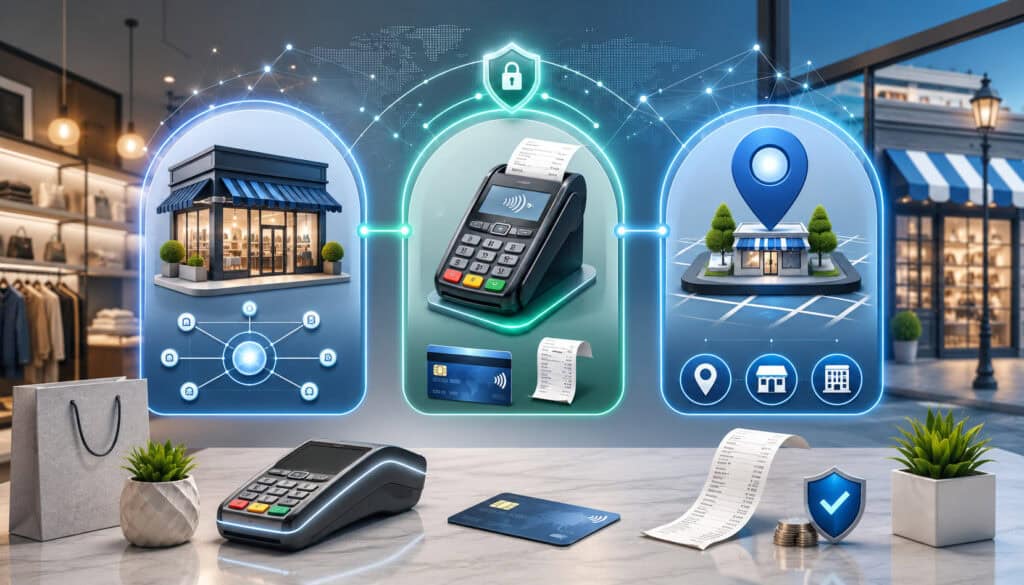
Merchant ID, terminal ID, store ID, location ID, gateway ID, and account ID are related, but they are not always interchangeable. Understanding the difference can prevent setup errors and reporting confusion.
A merchant ID identifies the merchant account in the payment processing system. It is often connected to settlement, processing, chargebacks, refunds, and reporting. A single business may have one merchant ID or multiple merchant IDs depending on its structure.
A terminal ID, often shortened as TID, identifies a specific payment terminal or card-present device. If a retail store has three countertop terminals and two mobile readers, each device may have its own terminal ID even if all devices process under the same merchant ID.
A store ID or location ID identifies a physical or operational location. Multi-location payments often use these identifiers to separate reporting by branch, restaurant, department, franchise unit, or region. A location ID may sit inside POS software, gateway reporting, processor reporting, or an enterprise resource system.
A gateway ID or gateway account ID identifies the payment gateway profile. This is especially common in ecommerce payment setup, recurring billing, hosted checkout, and payment gateway integration. It may be used with API credentials to connect the checkout to the correct merchant account.
A merchant account ID may be the same as the merchant ID in some systems, but in other systems it may identify an account record rather than the actual processing MID.
The safest approach is to document each identifier separately and note where it is used. Do not assume that a terminal ID can replace a merchant ID, or that a gateway ID is the same as a merchant account ID.
Merchant ID Configuration Table
The following table summarizes common identifiers used during merchant account configuration, payment gateway configuration, POS configuration, and reporting setup.
| Identifier | What It Means | Where It Is Used | Why It Matters |
| Merchant ID | Identifies the merchant account used for processing | Processor, acquiring bank, gateway, statements | Routes transactions, settlement, refunds, and chargebacks |
| Merchant identification number | Another name for the merchant ID | Statements, support portals, onboarding records | Helps support teams identify the correct merchant account |
| Merchant account ID | Account-level identifier used by some providers | Merchant portals, gateway settings, reporting | May connect billing, reporting, and processing records |
| Payment gateway merchant ID | Gateway-side identifier tied to processing | Ecommerce checkout, virtual terminal, APIs | Connects online payments to the correct merchant account |
| Terminal ID | Identifies a specific payment terminal | POS systems, payment devices, terminal reports | Helps separate device activity and troubleshoot card-present transactions |
| TID | Short form of terminal ID | Processor files, terminal downloads, POS settings | Ensures the correct device is activated and mapped |
| Store ID | Identifies a store or branch | POS reports, location dashboards, multi-location setup | Supports location-level reporting and reconciliation |
| Location ID | Identifies a physical or operational location | POS, gateway, reporting tools | Helps separate sales, refunds, deposits, and staff activity |
| Billing descriptor | Statement text customers see | Customer card statements, descriptor setup | Helps customers recognize charges and reduce confusion |
| Settlement account | Bank account for deposits | Funding setup, processor records | Controls where merchant funding is deposited |
| API credentials | Authentication values for software connections | Gateway integration, plugins, custom checkout | Allows secure communication between systems |
A table like this should be part of the business’s payment documentation. It does not need to expose sensitive credentials, but it should identify which system owns each value and who can update it.
How Merchant IDs Are Assigned
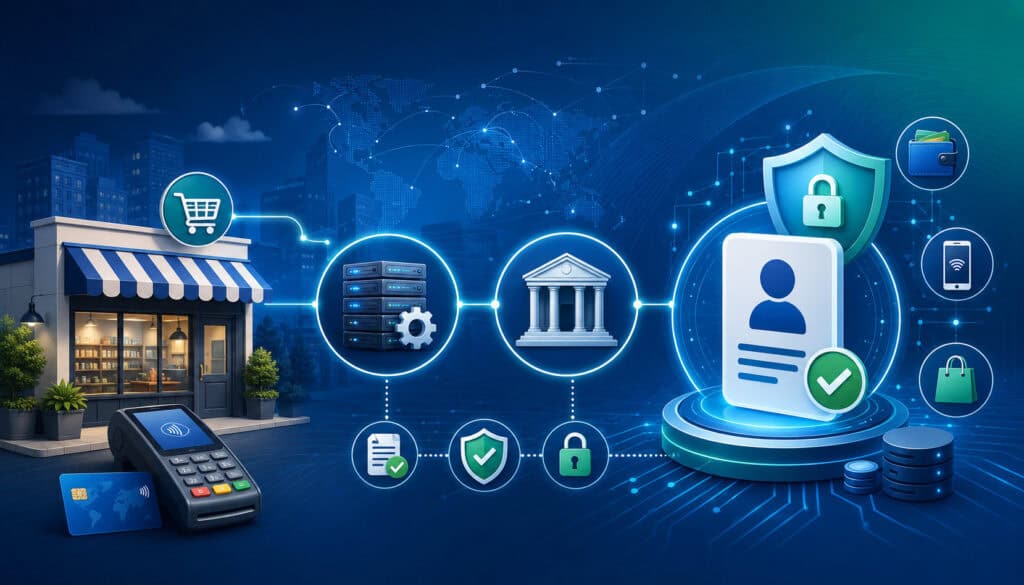
Merchant IDs are generally assigned during merchant onboarding or merchant account approval. The process can vary by provider, business type, sales channel, transaction risk, and whether the business uses a direct merchant account, an aggregated setup, a gateway connection, or a more complex payment processing setup.
The process usually starts with business verification. The merchant submits legal business information, ownership details, sales channel descriptions, expected processing volume, average ticket size, website details, and settlement bank information.
Underwriting teams review the business profile to understand risk, transaction types, refund practices, delivery model, and industry category.
After approval, the processor or merchant account provider creates the merchant account and assigns the merchant ID number. The MID may then be connected to gateway profiles, terminal files, POS settings, virtual terminal access, fraud tools, settlement settings, and reporting systems.
In an in-person environment, terminal configuration may involve a download or activation process. The terminal receives the correct merchant ID, terminal ID, processor settings, supported payment types, tip prompts, receipt settings, and batch settlement rules.
In an online environment, payment gateway configuration may involve gateway credentials, API keys, transaction keys, webhook settings, fraud tools, checkout settings, and live mode activation. The payment gateway merchant ID must connect to the correct merchant account so transactions route properly.
Activation should not be treated as complete until the business has tested authorization, capture, refunds, voids, settlement reports, and deposit matching.
Common Information Needed for Merchant ID Setup
Merchant ID setup depends on accurate information. The most common setup mistake is assuming that small details do not matter. In payment processing, details such as DBA name, bank ownership, location address, transaction type, and website checkout flow can affect approval, configuration, funding, and compliance responsibilities.
Businesses are often asked for legal business name, DBA name, business address, ownership details, contact information, tax identification details, business bank account information, website URL, product or service description, sales channels, refund policy, delivery policy, processing volume, average ticket size, high ticket size, business type, and location details.
For card-present transactions, setup may also require terminal quantity, device type, POS provider, store ID, location ID, tip settings, receipt settings, supported payment methods, batch close preference, and network connectivity details.
For card-not-present transactions, setup may require ecommerce platform details, shopping cart information, gateway credentials, recurring billing needs, fraud prevention settings, AVS rules, CVV rules, tokenization preferences, customer receipt settings, and webhook requirements.
Finance teams should review settlement account ownership carefully. The bank account should match the approved business structure and be able to receive merchant funding. Incorrect settlement account information can cause funding delays, rejected deposits, or additional verification requests.
Merchant ID Configuration for Payment Gateways
Merchant ID configuration for payment gateways connects the merchant account to online payment acceptance. This is common for ecommerce stores, invoices, recurring billing, hosted payment forms, virtual terminals, and custom checkout flows.
A payment gateway is the technology layer that securely transmits card-not-present transaction data from the checkout or software application to the processor. For a deeper overview of the relationship between a gateway and a merchant account, see this guide on payment gateway and merchant account differences.
Gateway setup may include a payment gateway merchant ID, gateway account ID, API credentials, transaction key, public key, private key, access token, webhook secret, fraud settings, payment method settings, settlement settings, and customer receipt settings.
The gateway must be connected to the correct merchant ID so authorization and settlement activity flows to the right merchant account. If a business has multiple merchant IDs, the gateway configuration must route each website, product line, or payment channel to the correct MID.
Gateway settings also affect fraud prevention. AVS checks compare address information. CVV checks help validate card security code entry. Velocity controls can limit repeated attempts. Tokenization can reduce the need to store sensitive card data directly. Encryption helps protect payment data in transit and in storage when supported by the payment environment.
API Credentials and Gateway Settings
API credentials are the keys, tokens, login values, or authentication details that allow software to communicate with the payment gateway. They are used in payment gateway integration, ecommerce payment setup, recurring billing, mobile apps, invoicing tools, and custom checkout systems.
These credentials should be handled carefully because they may allow systems to submit transactions, issue refunds, retrieve customer tokens, or access transaction reporting. Businesses should store credentials securely, limit who can view or change them, and avoid sharing them in email, chat messages, spreadsheets, or project notes.
Developers should confirm whether credentials are for test mode or live mode. They should also confirm whether the credentials belong to the correct gateway profile and merchant account. A common gateway configuration mistake is entering valid credentials from the wrong account, which can cause transactions to process under the wrong MID or fail entirely.
Whenever possible, use role-based access, rotate credentials when staff or vendors change, and document where credentials are used without exposing the secret values.
Test Mode and Live Mode Configuration
Test mode allows a business to simulate transactions before processing real payments. Live mode processes actual customer payments. Confusing the two can create serious launch problems.
In test mode, developers should validate checkout flow, authorization responses, capture behavior, voids, refunds, error messages, fraud rules, webhook delivery, customer receipts, order status updates, and reporting behavior. Test transactions should not be confused with real sales or accounting records.
Before launch, the business should confirm that live credentials have replaced test credentials, live mode is enabled, payment methods are active, fraud settings are appropriate, and webhook URLs point to the production environment. The checkout should be tested with small controlled transactions when allowed by the payment provider.
Refund testing is especially important. Some businesses test only successful sales and later discover that refunds, partial refunds, or voids do not sync correctly with their order management system.
Merchant ID Configuration for POS Systems
POS configuration connects the merchant ID to in-person payment tools such as countertop terminals, handheld devices, mobile readers, kiosks, and register systems. This setup is central to card-present transactions.
A POS system may use a merchant ID, terminal ID, store ID, location ID, device serial number, cashier profile, tip settings, tax settings, receipt settings, and batch close rules. These identifiers work together so payments can be accepted at the correct location and reported accurately.
Terminal configuration often includes a terminal download or activation. During this process, the device receives processor settings, supported card types, encryption settings, terminal ID, merchant number, communication settings, and settlement rules. If the wrong terminal file is loaded, the device may process under the wrong location or fail to connect.
Restaurants and service businesses should pay close attention to tip settings. Tip adjustment, tip prompt timing, tip reporting, and batch close rules can affect employee reporting, settlement totals, and reconciliation. Retail businesses should review receipt settings, tax handling, return workflows, and cashier permissions.
Batch settlement is another important POS setting. Some systems close batches automatically at a scheduled time, while others require manual batch closing. If batches are not closed correctly, funding may be delayed or reports may not match daily sales.
Businesses with multiple locations should verify that every terminal is mapped to the correct store ID or location ID. A terminal moved from one location to another may need reconfiguration before use.
Merchant ID Configuration for Ecommerce Stores
Ecommerce payment setup connects the merchant ID to checkout pages, payment plugins, hosted forms, payment APIs, order management tools, fraud filters, customer notifications, and reporting systems. The goal is to make sure online payments are authorized, captured, recorded, settled, and matched to the correct orders.
Card-not-present transactions carry different operational concerns than card-present transactions. The card is not physically presented at a terminal, so fraud prevention settings become more important. Common controls include AVS, CVV, device data, transaction velocity rules, order risk scoring, tokenization, encryption, and manual review thresholds.
The payment gateway integration must also communicate properly with the ecommerce platform. When a payment is approved, the order should update correctly. When a payment fails, the customer should receive a helpful message. When a refund is issued, the order record and gateway record should both reflect the change.
Hosted payment forms can reduce the amount of sensitive card data handled by the ecommerce site. Tokenization can help store a reusable payment reference for recurring billing or saved customer payment methods without storing raw card details in the business’s own systems.
Customer receipt settings should also be reviewed. Receipts should show recognizable business information, order details, support contact information, and refund guidance where appropriate.
For more background on payment operations and risk, this overview of chargeback management concepts may be useful.
Merchant ID Configuration for Multi-Location Businesses
Multi-location businesses need extra care with merchant ID configuration because payment activity must be easy to separate by store, location, department, sales channel, or business line. A business may use one merchant ID across all locations, multiple merchant IDs, location IDs, store IDs, terminal IDs, or a combination of these identifiers.
Using one merchant ID can simplify setup and reporting when locations share the same legal entity, settlement account, pricing, and operating model. However, it may make location-level reconciliation harder if the POS and reporting tools are not configured correctly.
Using multiple merchant IDs can provide cleaner separation. Each location may have its own MID, settlement account, descriptor, reporting profile, or risk settings. This can be useful when locations operate separately, use different bank accounts, or require distinct statements.
The tradeoff is complexity. Multiple merchant IDs require careful documentation. Finance teams must know which MID belongs to which location. Operations teams must know which terminals belong to which store. Developers must know which ecommerce site or payment form routes to which MID.
Location mapping errors are common. A terminal may be shipped to one location but activated under another. A store ID may be copied incorrectly. An online order channel may route to a corporate MID instead of the location that fulfills the order.
Multiple Merchant IDs: When They May Be Used
A business may have multiple merchant IDs for several legitimate reasons. The most common reasons include multiple locations, separate websites, different business lines, different settlement accounts, different payment channels, different risk categories, or operational reporting needs.
For example, a business with both retail stores and subscription billing may use one MID for card-present transactions and another for recurring billing.
A business with separate brands may use different merchant IDs so billing descriptors, reporting, and chargeback tracking remain clean. A company with locations that deposit into different bank accounts may also need separate MIDs.
Multiple merchant IDs can support better reporting and risk management. They can make it easier to identify which channel generated a chargeback, which location processed a refund, or which website produced a settlement batch. They can also help prevent one channel’s operational issue from confusing all payment reports.
However, multiple merchant IDs also require stronger controls. Staff must select the right MID when configuring terminals, gateways, payment links, virtual terminals, and ecommerce plugins. Finance teams must match deposits to the correct merchant account. Developers must avoid hard-coding the wrong merchant account ID into software.
The decision should be based on business structure, reporting needs, settlement needs, sales channels, and provider requirements. Simpler is not always better, but unnecessary complexity can create avoidable errors.
Merchant ID and Billing Descriptor Setup
Billing descriptor setup controls what customers see on their card statements. It is closely related to merchant ID configuration because descriptors are often tied to the merchant account or payment channel.
A billing descriptor may include the business name, DBA name, phone number, website reference, or location details. The purpose is to help customers recognize a charge. If the descriptor is unclear, outdated, abbreviated too aggressively, or unrelated to the customer-facing brand, customers may think the charge is unfamiliar.
Unrecognized charges can lead to avoidable customer service contacts and chargebacks. A customer may not remember the legal business name behind a restaurant, online store, repair service, or subscription product. If the statement descriptor does not match what the customer remembers buying from, confusion increases.
Descriptor setup is especially important for ecommerce, recurring billing, multi-location businesses, franchises, delivery models, and businesses that operate under a DBA. Customer support contact information should also be accurate so customers can ask about a charge before disputing it.
Descriptor changes may require processor or acquiring review. Businesses should not assume that changing website branding, DBA names, or locations automatically updates the billing descriptor. Whenever the business name, website, customer support phone number, or sales channel changes, descriptor settings should be reviewed.
Merchant ID and Settlement Account Configuration
Settlement account configuration determines where merchant funding is deposited. Because merchant IDs are tied to payment settlement, the settlement account must be accurate, approved, and properly matched to the merchant account.
After transactions are authorized and captured, they are usually included in a batch settlement process. The processor calculates funding based on settled transactions, refunds, chargebacks, fees, reserves, adjustments, and timing rules. The resulting deposit is sent to the settlement bank account on file.
A mismatch in settlement account details can create serious problems. Deposits may fail, funding may be delayed, additional verification may be required, or funds may not route as expected. The bank account should generally match the approved business entity or authorized structure.
Finance teams should understand whether funding is gross or net. Gross funding deposits sales and may bill fees separately. Net funding subtracts fees, refunds, chargebacks, or adjustments before deposit. Settlement reports should explain the difference between batch totals and actual deposits.
Batch settlement timing also matters. A batch closed after the cutoff may settle later than expected. A terminal that fails to batch may delay funding. An ecommerce gateway with capture delays may show authorized transactions that have not yet settled.
For more detail on settlement timing and batch workflows, see this guide to batch processing for merchants.
Merchant ID and Transaction Routing
Merchant ID configuration affects how transactions move through the payment system. A typical transaction flow includes authorization, capture, clearing, settlement, funding, and possible post-transaction activity such as refunds or chargebacks.
During payment authorization, the terminal, POS, ecommerce platform, or gateway sends transaction data through the processor. The processor uses the merchant ID and other configuration settings to identify the merchant account, route the request, and return an approval or decline response.
After authorization, the transaction may be captured. In many retail environments, capture happens as part of the daily batch. In ecommerce, capture may happen immediately or after order review, shipment, or fulfillment. The capture step tells the system that the approved transaction should move toward settlement.
During settlement, transaction records are cleared and funding is prepared. Refunds, chargebacks, reserves, and adjustments may affect the amount deposited. Reports should show how authorization activity became settled activity and how settled activity became merchant funding.
Transaction routing can become more complex when a business has multiple merchant IDs, multiple gateways, multiple locations, or both card-present and card-not-present activity. The same customer order may touch several systems: ecommerce platform, gateway, processor, settlement report, accounting software, and customer support portal.
Clear configuration keeps the payment path traceable. That traceability is essential for troubleshooting, reconciliation, fraud review, and customer service.
Merchant ID Configuration Flow Table
The following table shows a practical merchant ID configuration flow and common mistakes to avoid.
| Configuration Step | What Happens | Who Handles It | Common Mistake to Avoid |
| Business information collected | Legal, DBA, ownership, sales channel, and contact details are gathered | Merchant and onboarding team | Submitting incomplete or inconsistent business details |
| Merchant account reviewed | Business profile, risk, processing volume, and sales model are evaluated | Provider, processor, acquiring bank | Describing one sales model while processing another |
| Merchant ID assigned | MID or merchant number is created | Processor or account provider | Losing track of which MID belongs to which channel |
| Settlement account added | Funding bank account is connected | Merchant and processor | Entering incorrect or mismatched bank details |
| Gateway configured | Gateway profile, credentials, API settings, and fraud tools are enabled | Gateway, developer, merchant | Using test credentials in live checkout |
| POS and terminals activated | Devices receive TID, merchant number, batch, and receipt settings | POS provider, terminal provider | Mapping devices to the wrong location |
| Descriptor confirmed | Customer statement text is reviewed | Merchant and processor | Using a descriptor customers will not recognize |
| Testing completed | Sales, refunds, voids, batches, webhooks, and reports are checked | Merchant, developer, operations | Testing only successful transactions |
| Reports reviewed | Gateway, POS, processor, and bank records are compared | Finance team | Assuming all systems use the same timing |
| Documentation saved | Settings and support contacts are recorded securely | Operations and finance | Storing credentials insecurely |
This flow is not identical for every business, but it reflects the practical sequence most teams should understand before accepting payments at scale.
Merchant ID Configuration and Reporting
Correct MID setup supports accurate reporting. Payment reporting may come from several systems: merchant statements, processor reports, gateway reports, POS reports, terminal batch reports, ecommerce order reports, chargeback reports, funding records, and accounting systems.
Each report may answer a different question. The gateway report may show authorizations and gateway transaction IDs. The POS report may show register sales, tips, taxes, discounts, and refunds. The processor report may show settlement batches and funding. The bank statement shows actual deposits. The accounting system shows journal entries and reconciliation status.
Merchant ID configuration helps connect those records. If the gateway, POS, and processor are all mapped correctly, finance teams can trace activity from sale to settlement to deposit. If they are not mapped correctly, reports may appear to disagree even when the payments were processed.
Reporting becomes more complicated with multiple merchant IDs, multiple terminals, multiple ecommerce sites, or multiple settlement accounts. In those cases, teams should decide how reports should be grouped: by MID, location ID, store ID, sales channel, deposit account, or operating unit.
Chargebacks and refunds also need proper reporting. A chargeback may reference the original transaction, merchant ID, descriptor, and settlement details. A refund may appear in one report on the refund date and another report on the settlement date. Good configuration makes those records easier to match.
Merchant ID Configuration and Reconciliation
Reconciliation is the process of matching sales, payments, refunds, chargebacks, fees, batches, deposits, and accounting records. Merchant IDs are central to this process because they help identify which merchant account produced each payment record.
A simple reconciliation flow starts with sales records. The business compares POS or ecommerce sales to gateway or terminal records. Then it compares captured transactions to settlement batches. Finally, it compares settlement reports to bank deposits and accounting entries.
Differences are normal, but they should be explainable. A batch may settle after the sales date. Fees may be deducted before deposit. Refunds may reduce funding. Chargebacks may appear separately. A reserve or adjustment may change the deposit amount. Tips may be adjusted after authorization. Some transactions may be authorized but not captured.
MID configuration helps finance teams separate these differences by merchant account. If one location has a missing deposit, the team can review that location’s merchant ID, terminal IDs, batch report, and settlement account. If an ecommerce refund fails, the team can review the gateway transaction ID and merchant account ID.
Poor configuration creates reconciliation noise. Sales may be attributed to the wrong location. Deposits may combine channels unexpectedly. Refunds may not match order records. Chargebacks may appear under a MID the team does not recognize.
Security Considerations for Merchant ID Configuration
Security is a key part of merchant account configuration. Merchant IDs themselves may not always be secret in the same way as passwords, but the systems connected to them can contain sensitive payment data, API credentials, customer records, transaction history, refund permissions, and settlement information.
Businesses should follow applicable payment security requirements and seek qualified guidance when needed. The official payment security standards resource is a useful starting point for understanding how payment data protection applies across merchants, service providers, and financial institutions.
Important security practices include secure credential storage, least-privilege access, encryption, tokenization, user permission controls, audit logs, secure API key handling, and regular access reviews. Staff should not share gateway credentials casually, store secrets in unsecured documents, or reuse credentials across unrelated systems.
Tokenization can reduce exposure by replacing sensitive card data with a token that can be used for future billing without storing raw card details directly in the business environment. Encryption helps protect payment data when it is transmitted or stored within approved systems.
Fraud prevention settings should also be reviewed. AVS, CVV, transaction velocity rules, risk scoring, manual review thresholds, and card-not-present controls should match the business model. Overly loose settings may increase fraud risk, while overly strict settings may block legitimate customers.
Common Merchant ID Configuration Mistakes
Many payment issues come from small configuration mistakes. A business may assume the merchant services setup is complete because the account is approved, but approval and configuration are not the same thing.
Common errors include entering the wrong MID, using test credentials in live mode, using live credentials in a test environment, connecting a gateway to the wrong merchant account, entering an incorrect settlement account, forgetting to update the billing descriptor, failing to test refunds, missing webhook setup, mapping terminals to the wrong location, or leaving fraud settings incomplete.
Another common mistake is poor documentation. When no one knows which merchant ID belongs to which gateway, location, terminal, or settlement account, troubleshooting becomes guesswork. This is especially risky when staff changes, vendors change, or the business adds new channels.
Businesses also forget to review configuration after operational changes. A new website, new POS system, new bank account, new DBA, new location, or new recurring billing program may require updates to merchant ID setup.
Gateway Configuration Mistakes
Gateway configuration mistakes often involve API credentials, transaction keys, webhook URLs, live mode settings, fraud rules, payment method settings, and plugin configuration. These mistakes can prevent checkout from working or create hidden reporting problems.
A common issue is using credentials from the wrong gateway profile. The checkout may connect successfully but process under the wrong merchant account. Another issue is leaving the ecommerce platform in test mode after launch. Customers may think they paid, but no real payment was captured.
Webhook mistakes can also cause problems. Webhooks notify systems when events happen, such as successful payments, failed payments, refunds, disputes, or recurring billing updates. If webhook URLs are incorrect or not secured, order records may not update properly.
Fraud settings should be tested carefully. AVS and CVV rules that are too strict may block legitimate orders, while settings that are too loose may increase risk.
POS and Terminal Configuration Mistakes
POS and terminal configuration mistakes often involve terminal IDs, device activation, location mapping, batch settings, tip settings, receipt details, and settlement configuration.
A terminal may be assigned the wrong TID, downloaded with the wrong processor file, or connected to the wrong store ID. This can make sales appear under the wrong location or prevent the terminal from settling correctly.
Batch settings are another frequent issue. If a terminal does not auto-close as expected, funding may be delayed. If a batch closes at the wrong time, reports may not match the business day. Restaurants should also review tip adjustment windows because tip timing can affect batch totals.
Receipt settings matter too. Receipts should show recognizable business details, transaction references, refund guidance, and customer support information when appropriate.
Signs Your Merchant ID May Be Misconfigured
Merchant ID misconfiguration can show up in several ways. Some symptoms appear immediately, while others are discovered later during reconciliation or customer support.
Immediate signs include declined transactions, gateway connection errors, terminal activation failures, invalid credential messages, payment method errors, missing authorization responses, or checkout failures. These often point to incorrect gateway credentials, inactive merchant account settings, wrong live mode configuration, or terminal setup problems.
Settlement-related signs may appear after payments have been accepted. Deposits may be missing, delayed, combined unexpectedly, or sent to the wrong settlement account. Batch reports may not match bank deposits. A terminal may show settled transactions that finance cannot find in the expected merchant statement.
Customer-facing signs include confusing billing descriptors, duplicate-looking charges, receipt mismatches, or customers asking why a charge appears under an unfamiliar name.
Reporting signs include duplicate reports, missing location data, chargebacks appearing under unknown merchant IDs, refund failures, inconsistent transaction IDs, or sales totals that differ across POS, gateway, processor, and accounting systems.
When these signs appear, avoid changing multiple settings at once. Make one controlled change, test it, and document the result.
How to Troubleshoot Merchant ID Configuration Issues
Troubleshooting merchant ID configuration issues should be methodical. Start by identifying the affected payment channel: terminal, POS, ecommerce checkout, payment link, virtual terminal, recurring billing, or mobile reader. Then identify whether the issue affects authorization, capture, settlement, refunds, reporting, or customer descriptors.
Use this practical sequence:
- Confirm the correct merchant ID.
- Check gateway credentials.
- Verify test mode and live mode settings.
- Review terminal ID setup.
- Confirm store ID and location ID mapping.
- Verify settlement bank account details.
- Test authorization and capture.
- Test refunds and voids.
- Review webhook delivery.
- Match gateway, POS, processor, and bank reports.
- Confirm descriptor setup.
- Contact the relevant support team with transaction details.
When contacting support, provide specific information. Useful details may include merchant ID, terminal ID, gateway transaction ID, order number, transaction date, transaction amount, batch number, settlement date, and the exact error message.
Do not send full card numbers or sensitive authentication data in support messages. Use only safe reference details and follow the provider’s secure support process.
If several systems are involved, isolate the problem. For example, if the gateway shows an approved payment but the ecommerce platform does not update the order, the issue may be webhook or plugin configuration. If the POS shows a batch but the bank deposit is missing, the issue may be settlement timing or funding setup.
Merchant ID Configuration Checklist
A checklist helps businesses confirm that merchant ID configuration is complete before launch or after major changes.
Use this checklist as a practical review tool:
- Correct merchant ID confirmed.
- Business name and DBA verified.
- Settlement bank account verified.
- Payment processor merchant ID documented.
- Payment gateway merchant ID confirmed.
- Gateway credentials entered correctly.
- API keys stored securely.
- Test mode and live mode checked.
- Terminal IDs configured.
- POS location mapping reviewed.
- Store ID and location ID values documented.
- Billing descriptor confirmed.
- Customer receipt settings reviewed.
- Refunds and voids tested.
- Batch settlement tested.
- Webhooks tested.
- AVS and CVV settings reviewed.
- Tokenization settings reviewed where applicable.
- Fraud prevention rules reviewed.
- Reports matched across systems.
- Staff trained on basic payment workflows.
- Support contacts and escalation steps documented.
The checklist should be updated whenever the business changes payment gateways, adds a new location, replaces terminals, changes settlement accounts, launches recurring billing, or modifies ecommerce checkout.
Best Practices for Managing Merchant ID Configuration
The best merchant ID configuration practices are simple, but they require discipline. Document the setup, limit access, test before launch, reconcile regularly, and review settings whenever business operations change.
Start with documentation. Keep a secure record of each merchant ID, gateway profile, terminal ID, store ID, location ID, descriptor, settlement account, sales channel, and support contact. Avoid storing secret credentials in the same document unless the storage system is designed for secure secrets management.
Limit access to payment settings. Not every employee who uses the POS needs permission to change MID setup, API credentials, refund rules, or settlement settings. Use role-based access where available.
Test payment flows before launch. Do not test only successful transactions. Test declines, refunds, voids, partial refunds, receipts, webhooks, batch settlement, and reporting.
Review reports after go-live. The first few settlement cycles are important. Compare POS reports, gateway reports, processor reports, bank deposits, and accounting entries.
Monitor failed transactions. Repeated gateway errors, AVS failures, CVV declines, or terminal connection issues may point to configuration problems.
Review configuration after changes. New websites, new locations, new bank accounts, new POS devices, new recurring billing tools, and business name changes can all affect merchant account configuration.
When to Review or Update Merchant ID Configuration
Merchant ID configuration should not be treated as a one-time setup task. It should be reviewed whenever the payment environment changes.
Review configuration when launching a new website, adding a physical location, changing bank accounts, switching payment gateways, replacing terminals, adding mobile readers, changing POS systems, adding recurring billing, changing DBA names, updating customer support information, adding a new sales channel, or experiencing settlement problems.
Businesses should also review configuration when reports stop matching. If gateway sales, POS totals, processor batches, and bank deposits no longer reconcile clearly, configuration mapping should be part of the investigation.
A review is also useful after staff or vendor changes. Former employees, contractors, or agencies may have had access to gateway settings, API credentials, plugins, or payment apps. Access should be updated and credentials rotated when appropriate.
Security reviews are equally important. API credentials, webhook secrets, user permissions, and tokenization settings should be checked periodically. Fraud settings should also be reviewed as transaction patterns change.
What is merchant ID configuration?
Merchant ID configuration is the process of connecting a merchant ID to the correct payment systems. This can include payment gateways, POS systems, terminals, ecommerce platforms, settlement accounts, descriptor settings, reporting tools, fraud controls, and transaction routing.
The goal is to make sure transactions are authorized, captured, settled, refunded, reported, and reconciled under the correct merchant account. It is a practical part of merchant services setup and payment processing setup.
What is a merchant identification number?
A merchant identification number is an identifier assigned to a merchant account. It may also be called a merchant ID number, MID, merchant number, merchant account ID, or merchant account number depending on the system.
It helps processors, acquiring banks, gateways, and support teams identify the merchant account connected to payment activity. It is different from a bank account number, terminal ID, tax identification detail, or business license number.
Is a merchant ID number the same as a merchant account number?
Sometimes the terms are used interchangeably, but not always. In some systems, the merchant ID number and merchant account number refer to the same processing identity. In other systems, a merchant account number may identify a broader account record, while the MID identifies the specific processing account.
The safest approach is to ask the processor or gateway what each identifier means in that system and document it clearly.
What is MID configuration?
MID configuration is another way to describe merchant ID configuration. It means setting up the MID so it is properly connected to payment gateways, terminals, POS systems, settlement accounts, billing descriptors, reporting tools, and transaction routing.
MID setup is especially important for businesses with multiple merchant IDs, multiple locations, or both online and in-person payment channels.
Where do I find my merchant ID?
A merchant ID may appear on merchant statements, processor dashboards, gateway settings, onboarding approval documents, terminal configuration records, or support portals. Some systems display it clearly, while others show only a partial value or internal account reference.
If you cannot find it, contact the processor, merchant account provider, or gateway support team. Be prepared to verify authorization to access account details.
Why is merchant ID setup important?
Merchant ID setup is important because it affects transaction routing, payment authorization, settlement, deposits, refunds, chargebacks, reporting, billing descriptors, and reconciliation.
Incorrect setup can lead to declined transactions, missing deposits, wrong location reporting, failed refunds, confusing customer statements, and accounting mismatches.
Is a merchant ID the same as a terminal ID?
No. A merchant ID identifies the merchant account. A terminal ID identifies a specific payment terminal or card-present device.
Several terminals may process under the same merchant ID. Each terminal may still have its own TID for device-level reporting, activation, troubleshooting, and batch settlement.
Can a business have multiple merchant IDs?
Yes. A business may have multiple merchant IDs for different locations, websites, business lines, sales channels, settlement accounts, or risk categories.
Multiple merchant IDs can improve reporting and separation, but they also increase complexity. Businesses should document which MID belongs to each location, gateway, terminal, and settlement account.
How does a merchant ID connect to a payment gateway?
A merchant ID connects to a payment gateway through gateway configuration. This may involve a payment gateway merchant ID, gateway account profile, API credentials, transaction keys, webhook settings, fraud controls, and live mode activation.
The gateway uses these settings to send transaction data to the processor and route payments to the correct merchant account.
What happens if a merchant ID is misconfigured?
A misconfigured merchant ID can cause failed gateway connections, declined transactions, wrong-location reporting, missing deposits, failed refunds, confusing billing descriptors, chargeback tracking problems, and reconciliation issues.
The exact impact depends on where the configuration error occurs. A gateway error may affect checkout, while a settlement account error may affect deposits.
How does merchant ID configuration affect settlement?
Merchant ID configuration affects settlement because the MID is tied to the merchant account and funding setup. Settled transactions, refunds, chargebacks, fees, reserves, and adjustments are associated with the merchant account and settlement account configuration.
If the settlement account is incorrect or the MID is mapped to the wrong channel, deposits may be delayed, misrouted, or hard to reconcile.
Conclusion
Merchant ID configuration is the foundation that connects a merchant account to the payment systems a business relies on every day. It connects gateways, terminals, ecommerce platforms, POS systems, settlement accounts, billing descriptors, reporting tools, refunds, chargebacks, and transaction routing.
A well-managed setup helps payments authorize correctly, batches settle properly, deposits reach the right account, customers recognize charges, and finance teams reconcile activity with confidence. A poorly managed setup can create avoidable declines, funding delays, reporting confusion, refund failures, and customer disputes.
The best approach is practical and consistent. Confirm the correct merchant ID, verify business and DBA details, connect the right gateway credentials, map terminals and locations carefully, protect API credentials, test payment flows, review settlement reports, and document everything securely.
Whenever a business adds a location, launches a website, changes bank accounts, replaces terminals, updates a POS system, adds recurring billing, or changes its customer-facing name, merchant ID configuration should be reviewed again. Payment systems work best when the details behind them are accurate, secure, tested, and easy to understand.