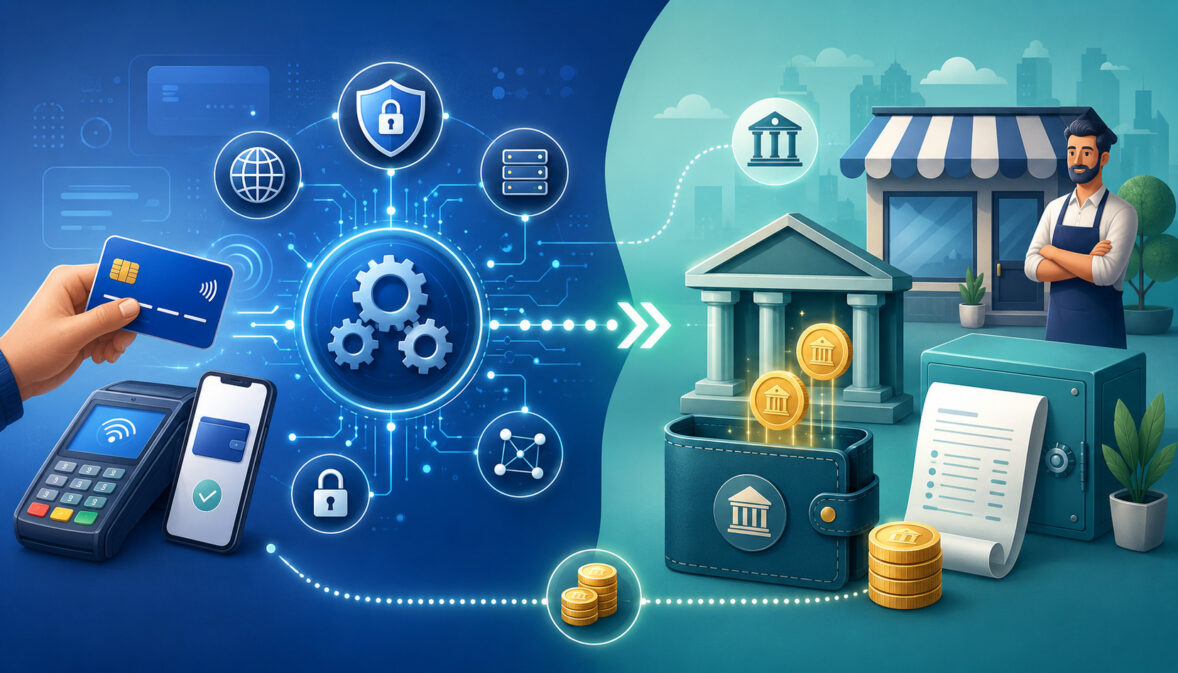
Understanding payment processor vs merchant account can feel confusing when you first start accepting card payments. Many business owners hear both terms during setup, but the words are often used together, bundled into one service, or described in technical ways that make them harder to separate.
The basic idea is simple: a payment processor helps move card transaction information between the business, banks, and card networks, while a merchant account helps receive card payment funds before they are transferred to the business bank account. One supports the transaction communication. The other supports the funding and settlement side.
This distinction matters for ecommerce sellers, retail stores, restaurants, service providers, subscription businesses, startups, and finance teams. Choosing the right setup can affect approval, pricing, funding speed, chargeback handling, payment security, reporting, and long-term account stability.
This guide explains payment processor and merchant account explained in a practical way. You will learn what is a payment processor, what is a merchant account, how they work together, how they differ, and how to compare options without getting distracted by one advertised rate or a quick signup page.
What Does Payment Processor vs Merchant Account Mean?
The phrase payment processor vs merchant account compares two different parts of card payment acceptance. They are connected, but they are not the same thing.
A payment processor is the technology and service layer that helps move transaction data. When a customer taps, swipes, inserts, or enters a card online, the processor helps route that information to the right parties.
This can include the payment gateway, acquiring bank, card network, and issuing bank. The processor also helps with authorization, capture, clearing, settlement communication, reporting, and sometimes fraud screening.
A merchant account is a specialized account structure that allows a business to accept card payments. It is not the same as a regular business checking account. Instead, it supports the flow of card payment funds after a transaction is approved and before funds are deposited into the business bank account.
The merchant account meaning is often misunderstood because many businesses never see a separate account login labeled this way. In all-in-one setups, the merchant account function may be bundled behind the scenes. In a dedicated setup, the merchant account is more visible and usually involves a formal application and underwriting process.
The payment processor meaning is also sometimes blurred because some providers offer processing, gateway tools, reporting, risk monitoring, and merchant services under one roof. That does not make the processor and merchant account identical. It only means the services may be packaged together.
A simple way to think about it is this:
- The payment processor helps the payment message travel.
- The merchant account helps the approved money settle.
- The payment gateway helps securely collect online payment data.
- The business bank account receives the final deposit.
What Is a Payment Processor?
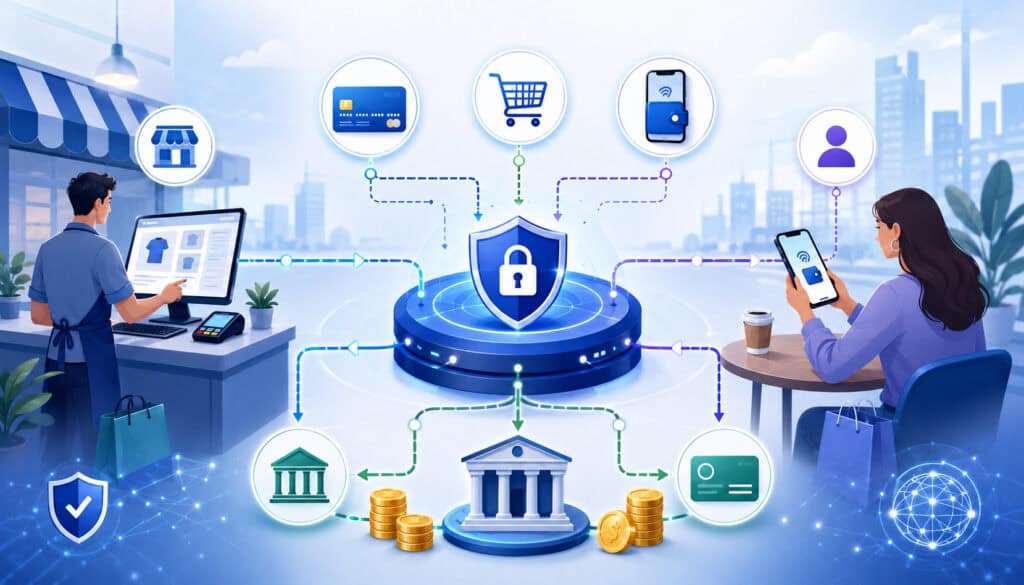
A payment processor is the service that helps card transactions move through the payment system. When someone pays with a credit or debit card, the payment processor helps transmit the transaction details from the business to the parties that approve, decline, clear, and settle the payment.
The processor does not simply “take the payment.” It performs several important functions behind the scenes. It helps route transaction data, communicate with card networks and banks, manage payment authorization, support transaction capture, and send transaction information for settlement.
For in-person payments, the processor may connect with a POS terminal, card reader, mobile device, or integrated register. For online payment processing, it may work with a payment gateway, hosted checkout page, shopping cart, invoice link, mobile app, or recurring billing platform.
The processor also supports business payment processing operations after the sale. This may include batch reporting, transaction search, refund processing, chargeback communication, payout reporting, fraud rules, and reconciliation data. Some processors also support ACH, digital wallets, invoicing, stored credentials, and recurring billing.
For example, a restaurant may use card payment processing through a POS system. When a guest pays at the counter, the terminal sends the payment details through the processor. The processor helps request payment authorization from the cardholder’s issuing bank. If approved, the transaction can later be captured and included in settlement.
An ecommerce seller has a slightly different flow. The customer enters card details on a secure checkout page. The payment gateway encrypts and transmits the data to the processor. The processor routes the authorization request and returns the approval or decline response to the checkout system.
Processors are important because they help businesses accept payments across different channels:
- In-store terminals
- Mobile card readers
- Ecommerce checkout pages
- Payment links
- Online invoices
- Subscription billing systems
- Virtual terminals
- Integrated POS systems
The processor is also a key source of transaction reporting. Finance teams often rely on processor reports to reconcile sales, refunds, chargebacks, fees, batches, and deposits.
What Is a Merchant Account?
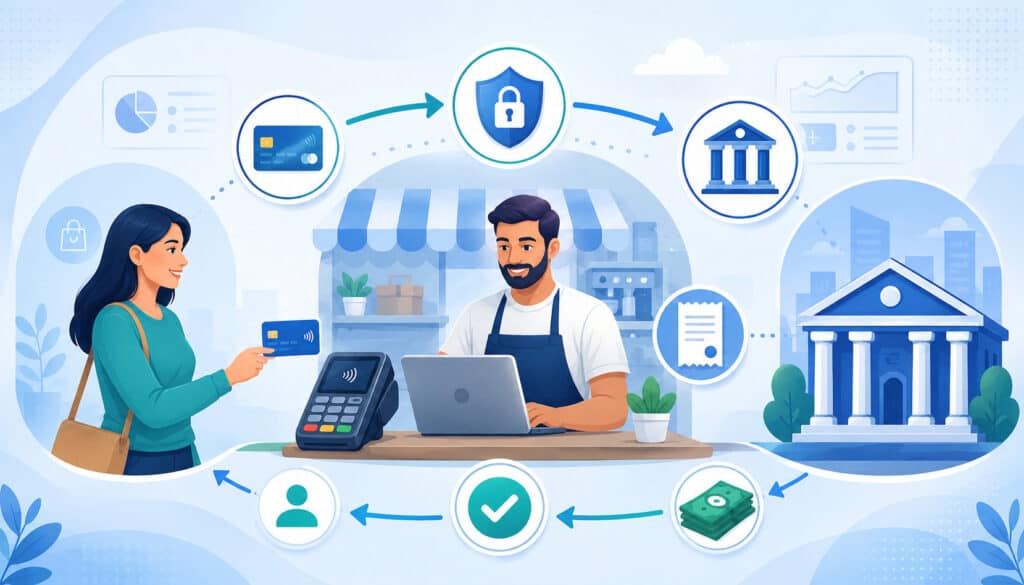
A merchant account is a specialized account arrangement that allows a business to accept card payments and receive funds after those payments are processed and settled. It is different from a regular business bank account because it exists specifically to support payment acceptance, settlement, funding, and risk management.
When a customer pays by card, the money does not usually move instantly from the cardholder to the business checking account. First, the transaction must be authorized, captured, cleared, and settled. The merchant account supports this process by acting as the account structure connected to the business’s card acceptance activity.
A dedicated merchant account is usually issued through an acquiring bank or a merchant account provider that works with an acquirer. The acquiring bank is the financial institution on the business side of the card transaction. The issuing bank is the financial institution on the customer side. The card network helps route and govern the transaction between them.
Merchant accounts typically involve underwriting. Underwriting is the review process used to evaluate the business before approving payment acceptance.
The review may include business type, ownership information, bank account details, expected processing volume, average transaction size, website content, refund policy, chargeback risk, processing history, and financial stability.
This review exists because card payments carry risk. A business may receive funds before a chargeback window is fully closed. If customers dispute transactions, if fraud occurs, or if the business cannot fulfill orders, the processor, acquirer, and merchant account provider may face financial exposure.
Some merchant accounts may include reserves or funding controls. A reserve means a portion of processing funds may be temporarily held to cover potential disputes, refunds, or losses. Not every business has a reserve, but businesses with higher risk, limited history, high ticket sizes, subscription billing, or chargeback concerns may encounter one.
A merchant account can provide more stability for certain businesses because underwriting happens before or during setup. That does not eliminate all risk of holds or reviews, but it can create clearer expectations than a signup process that delays review until after transactions begin.
For a broader overview of payment acceptance tools, this merchant services guide is a helpful related resource.
Payment Processor vs Merchant Account: The Main Difference
The main difference between payment processor and merchant account is function. A payment processor handles the transaction communication. A merchant account supports the financial receiving and settlement structure for card payments.
The processor is active when payment information needs to move. It helps send transaction data from the business to the card network and issuing bank, then returns the authorization response. It may also support capture, clearing, settlement files, refunds, reporting, and dispute data.
The merchant account is active on the funding side. It is connected to how approved card payment funds are received, reviewed, settled, and eventually deposited into the business bank account. It also carries risk controls because card payments can be reversed through refunds, disputes, and chargebacks.
This is the simplest way to understand the payment processor and merchant account difference:
- A processor answers: “How does the transaction get routed and approved?”
- A merchant account answers: “Where do card payment funds settle before payout?”
- A gateway answers: “How is online card data securely collected and transmitted?”
- A business bank account answers: “Where does the final deposit land?”
In many modern services, the processor and merchant account may be bundled together. That is why businesses may sign up once and start accepting cards without separately applying for a merchant account.
However, the underlying functions still exist. The payment must still be routed, authorized, settled, funded, monitored for risk, and reported.
This distinction becomes more important as a business grows. A small seller may prioritize fast onboarding and simple flat-rate pricing. A growing ecommerce business may care more about interchange-plus pricing, gateway flexibility, lower effective rate, recurring billing tools, fraud prevention, and chargeback support.
A restaurant may care about POS payments, tip adjustment, batch close timing, next-step reporting, and reliable hardware integration. Understanding payment processing vs merchant account helps businesses compare real needs instead of comparing labels.
A provider may advertise “payment processing,” but the business should still ask how funds are settled, whether a dedicated merchant account exists, how chargebacks are handled, what fees apply, and what happens if transaction volume changes.
Merchant Account vs Payment Processor Comparison Table
A comparison table can make merchant account vs payment processor easier to understand. The two work closely together, but they solve different problems within credit card processing.
| Feature | Payment Processor | Merchant Account | Why It Matters |
| Main role | Routes and manages transaction data | Supports receiving and settling card payment funds | Helps separate technical processing from funding structure |
| Primary function | Authorization, capture, clearing communication, reporting | Settlement, funding, risk review, account structure | Clarifies who handles transaction flow and who supports fund movement |
| Works with | Gateways, POS systems, card networks, banks | Acquiring bank, merchant account provider, processor | Shows why multiple parties may be involved in one card sale |
| Used for | In-person, online, mobile, invoice, recurring payments | Card payment acceptance and payout support | Helps businesses match setup to sales channels |
| Approval process | May be quick in bundled models | Often includes underwriting in dedicated models | Affects setup speed and account stability |
| Risk review | May monitor transactions and fraud patterns | May review business type, volume, chargebacks, reserves | Impacts holds, reserves, and ongoing account status |
| Fees | Transaction fees, processor markup, gateway-related charges | Monthly fees, merchant account fees, chargeback fees, PCI-related fees | Helps businesses calculate total cost |
| Reporting | Transaction logs, batches, refunds, disputes | Funding, deposits, reserves, account activity | Supports reconciliation and finance operations |
| Best fit | Needed for routing payment transactions | Needed when accepting card payments through a dedicated setup | Helps decide whether bundled or separate services make sense |
| Common confusion | Some processors bundle merchant account functions | Some merchant account providers include processing | Explains why the labels overlap in sales materials |
This table shows that the merchant account payment processor relationship is not an either-or choice in many cases. A business that accepts card payments needs the functions of both. The real question is whether those functions are bundled in an all-in-one platform or separated through a dedicated merchant account and processing relationship.
A startup may prefer simplicity at first. A larger retail store, restaurant group, ecommerce brand, or professional service firm may eventually want more control over pricing, settlement, integrations, and risk management.
How Payment Processors and Merchant Accounts Work Together
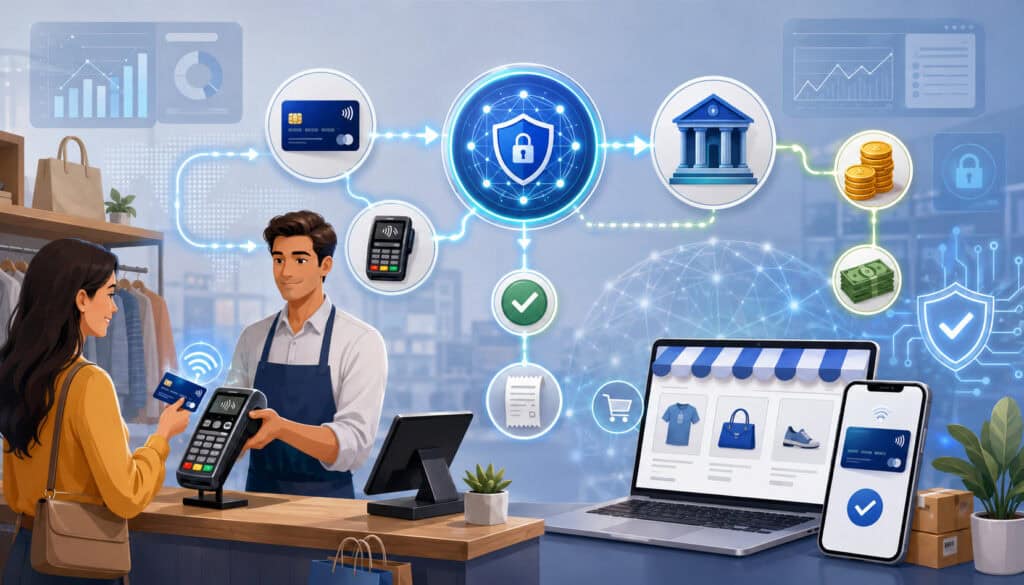
Payment processors and merchant accounts work together to move a card transaction from customer payment to business funding. Even though the customer sees a quick approval message, several steps happen behind the scenes.
First, the customer presents payment details. This may happen through a POS terminal, online checkout, mobile reader, virtual terminal, invoice, or recurring billing system. The payment data is collected and securely transmitted. For ecommerce payments, the payment gateway plays a major role in collecting and sending that data.
Next, the processor routes the authorization request. The request may move from the business’s payment system to the processor, through the card network, and to the issuing bank. The issuing bank checks whether the card appears valid, whether funds or credit are available, and whether the transaction fits security rules.
The issuing bank sends back an approval or decline response. If approved, the business may complete the sale. Later, the transaction is captured and included in a batch. During clearing and settlement, transaction details are exchanged and funds move through the card payment system.
The merchant account supports the settlement and funding side. After settlement, the business receives a deposit to its business bank account, usually minus applicable payment processing fees, merchant account fees, refunds, chargebacks, reserves, or adjustments.
The flow can include many parties:
- Customer
- Business
- POS system or payment gateway
- Payment processor
- Acquiring bank
- Card network
- Issuing bank
- Merchant account
- Business bank account
The process may sound complex, but the business usually experiences it through a few practical steps: accept the payment, close the batch, review the report, receive the deposit, and reconcile the funding.
For a deeper look at batching, settlement, and funding timing, this guide on how batch processing works for merchants adds useful context.
Card-Present Payment Example
Imagine a customer pays for lunch at a restaurant using a chip card. The cashier enters the sale into the POS system, and the customer inserts the card into the terminal. The terminal securely reads the card information and sends the payment request through the processor.
The processor routes the authorization request through the card network to the issuing bank. The issuing bank checks whether the card is valid and whether the cardholder has enough available credit or funds. It may also apply fraud checks based on transaction amount, merchant category, location, and cardholder activity.
If the transaction is approved, the approval response travels back through the network to the processor and then to the POS terminal. The restaurant can complete the sale. If tips are involved, the final amount may be adjusted before capture, depending on the POS and processing setup.
At the end of the business day, the restaurant may close its batch. The approved transactions are submitted for clearing and settlement. Funds then move through the acquiring side of the payment system and are credited through the merchant account structure before being deposited into the business bank account.
This is why POS payments require more than a card reader. The reader captures payment data, the processor routes the transaction, the issuing bank approves or declines it, the merchant account supports settlement, and the business bank account receives the final deposit.
Online Payment Example
Now imagine an ecommerce customer buying a product from an online store. The customer adds the item to the cart and enters payment details at checkout. The payment gateway securely collects the card information and sends it to the payment processor.
The processor routes the authorization request through the card network to the issuing bank. The issuing bank reviews the transaction for available funds, card validity, and possible fraud. The payment gateway then receives the approval or decline response and displays the result at checkout.
If approved, the order can be confirmed. Depending on the business setup, the transaction may be captured immediately or captured later when the order ships. This matters for ecommerce operations because authorization and capture are not always the same step.
After capture, the transaction joins the settlement process. The merchant account supports the receiving side of card payment funds. The final deposit later appears in the business bank account, usually net of fees, refunds, chargebacks, and other adjustments.
Online payment processing also introduces extra security needs. Businesses may use AVS, CVV checks, 3D Secure, tokenization, fraud filters, velocity rules, and secure checkout design. These tools help reduce payment security risks and support better authorization quality.
Payment Gateway vs Merchant Account vs Payment Processor
The terms payment gateway vs merchant account and payment processor are often mixed together, especially in online payment processing. Each one has a different role.
A payment gateway securely collects and transmits payment data, especially for card-not-present transactions. It is the online equivalent of a secure payment terminal. It may support hosted checkout pages, embedded forms, APIs, payment links, tokenized cards, recurring billing, fraud filters, and checkout security tools.
A payment processor routes transaction information between the business, acquiring bank, card network, and issuing bank. It helps manage the communication needed for payment authorization, capture, clearing, settlement, refunds, and reporting.
A merchant account supports the financial side of accepting card payments. It allows card payment funds to be received through the acquiring side of the payment system before they are funded to the business bank account.
The difference matters because a business can have problems if one part does not match the others. For example, an ecommerce store may have a payment gateway that works well with its website, but the merchant account may not support the business type.
A retail store may have a strong merchant account but need a POS system that integrates correctly with the processor. A subscription business may need a gateway with tokenization and recurring billing features, plus a merchant account that understands recurring payment risk.
A helpful way to separate the roles is this:
- Gateway: securely captures and sends payment data.
- Processor: routes and manages the transaction message.
- Merchant account: supports settlement and funding.
- Business bank account: receives deposits for business use.
This payment gateway vs merchant account guide can be useful for readers who want to explore that specific comparison further.
Do Businesses Need Both a Payment Processor and a Merchant Account?
Most businesses that accept card payments need the functions of both a payment processor and a merchant account. However, they may not need to buy or manage them separately.
Some all-in-one platforms combine payment processing, gateway features, merchant account functionality, reporting, and risk monitoring in one setup.
The business signs up once, uses a shared or aggregated structure behind the scenes, and receives payouts into its bank account. This can be convenient for small businesses, startups, mobile sellers, and simple ecommerce operations.
Other businesses use a dedicated merchant account with a processor and, when needed, a separate payment gateway. This setup can involve more application steps, but it may offer more control over pricing, account underwriting, funding terms, chargeback processes, supported business types, and integrations.
A small service provider sending occasional invoices may prefer an all-in-one setup because it is fast and simple. A growing ecommerce store with higher monthly volume may want a dedicated merchant account to improve pricing visibility and reduce uncertainty.
A restaurant may need POS payments, tip support, tableside devices, batch reporting, and next-step reconciliation tools. A subscription business may need recurring billing, stored credentials, cancellation controls, and dispute monitoring.
Higher-risk businesses often need more careful review. That does not mean they cannot accept cards, but it does mean the business should be honest about its model, marketing, fulfillment process, refund policy, and chargeback exposure.
A dedicated merchant account provider may be more willing to review the full picture than a basic signup flow that evaluates risk after transactions begin.
The right answer depends on volume, ticket size, business type, sales channels, risk profile, fraud exposure, support needs, and growth plans.
Payment Facilitator vs Traditional Merchant Account Setup
A payment facilitator is a model where a platform or payment service allows many businesses to accept payments under a larger master merchant relationship.
Instead of each small business going through a full traditional merchant account approval process upfront, the payment facilitator onboards users more quickly and manages risk through monitoring, controls, and ongoing review.
This model is common in all-in-one payment services, marketplaces, software platforms, and quick-start payment tools. It can be appealing because setup is often fast. A business may enter basic information, connect a bank account, and begin accepting payments quickly.
The trade-off is that underwriting may be lighter at signup and more active after processing begins. If transactions look unusual, chargebacks rise, product types create risk, or sales volume changes quickly, the payment facilitator may hold funds, request documents, delay payouts, or close the account. These actions are often allowed by the terms of service.
A traditional merchant account usually involves more review before approval. The business may need to provide ownership details, processing estimates, bank account information, website details, refund policies, and sometimes previous processing statements. This can take longer, but it may create clearer expectations.
The payment facilitator model often works well for:
- New businesses with simple products or services
- Low-volume sellers
- Market vendors
- Basic ecommerce stores
- Freelancers and service providers
- Businesses that value speed over customization
A traditional merchant account may work better for:
- Higher processing volume
- Larger average ticket sizes
- Restaurants and retail stores with complex POS needs
- Recurring billing businesses
- Businesses needing custom pricing
- Businesses with elevated chargeback risk
- Companies that want more control over funding and support
Neither model is automatically better. The best choice depends on the business’s operational needs and risk profile.
Approval and Underwriting Differences
Approval and underwriting are major differences between quick-start payment processing and a dedicated merchant account. Underwriting is the review process used to understand the business, evaluate risk, and decide whether the account can be approved under specific terms.
A basic payment processor signup may ask for limited information at first. The business may enter contact details, tax information, bank account details, website information, and expected activity. The account may be activated quickly, but that does not mean risk review is finished. Many platforms continue reviewing activity after transactions begin.
A dedicated merchant account usually involves more review upfront. The merchant account provider or acquiring bank may review the business type, ownership information, processing history, monthly volume, average ticket size, refund policy, website content, product delivery process, chargeback history, and bank account details.
For ecommerce payments, the website may be reviewed for important customer-facing information. This can include product descriptions, pricing, shipping terms, refund policy, privacy policy, contact information, and checkout flow.
For service businesses, contracts, invoices, or fulfillment timelines may matter. For recurring billing, cancellation terms and customer consent are especially important.
Underwriting is not only about approval. It also affects pricing, reserves, processing limits, funding timelines, and account monitoring. A business with stable history, low chargebacks, and clear operations may receive different terms than a new business with high ticket sizes, delayed fulfillment, or recurring billing.
Businesses should be prepared to answer questions honestly. Trying to hide the business model, use misleading descriptions, or process for another business can create serious account problems. The approved profile should match actual processing activity.
Fees: Payment Processor Fees vs Merchant Account Fees
Payment processing fees can be confusing because several parties may be involved in one transaction. When comparing payment processor fees and merchant account fees, focus on the total cost of acceptance rather than one advertised rate.
Common transaction-level costs include interchange, assessments, and processor markup. Interchange is generally paid through the card payment system to the issuing bank. Assessments are generally associated with card network costs.
Processor markup is the provider’s charge for processing services. These may be bundled together or shown separately depending on the pricing model.
Merchant account fees may include monthly fees, statement fees, PCI compliance fees, batch fees, chargeback fees, retrieval fees, gateway fees, equipment fees, and other account-related charges. Not every provider charges every fee, and fee names may vary. The important point is to review the full schedule.
Gateway fees may apply when accepting online payments. A payment gateway may charge a monthly fee, per-transaction fee, tokenization fee, recurring billing fee, or other service-related cost. Some all-in-one platforms include gateway access in the transaction rate, while separate setups may list gateway costs individually.
Chargeback fees are also important. When a customer disputes a transaction, the business may pay a chargeback fee whether or not it ultimately wins the dispute. Excessive chargebacks can also lead to more review, higher reserves, account restrictions, or termination.
Equipment costs may apply for retail stores and restaurants. Terminals, POS systems, mobile readers, receipt printers, cash drawers, and software subscriptions should be included in the cost comparison.
A useful metric is the effective rate. This is the total processing cost divided by total card sales for a period. It helps show what the business is actually paying after all fees are included.
Pricing Models to Understand
Pricing models affect how easy it is to understand payment processing fees. They also affect how costs change as volume grows, ticket size changes, or payment methods shift.
Flat-rate pricing charges a simple percentage and sometimes a fixed transaction amount. It is common in all-in-one processing models. The advantage is predictability. The drawback is that the rate may bundle many underlying costs, making it harder to see the actual markup.
Interchange-plus pricing separates interchange and assessments from the processor’s markup. This model can be more transparent because the business can see the underlying card costs and the provider’s added fee. It may be attractive for businesses with higher volume or finance teams that want more detail.
Tiered pricing groups transactions into categories such as qualified, mid-qualified, and non-qualified. It can be harder to evaluate because the business may not know in advance how transactions will be categorized. A low advertised qualified rate may not reflect the actual cost of many transactions.
Subscription pricing may involve a monthly membership-style fee plus a smaller per-transaction markup. This can work for some higher-volume businesses, but the total value depends on transaction volume, ticket size, included services, and other fees.
Blended pricing combines multiple costs into one rate. It may be easy to read but less transparent. Businesses should ask what is included, what is separate, and whether different payment types have different rates.
Pricing also depends on payment channel. Card-present transactions often have different risk and cost characteristics than card-not-present transactions. Ecommerce payments, keyed transactions, recurring billing, and international cards may price differently than chip-card POS payments.
The best pricing model depends on the business’s transaction mix, reporting needs, volume, and ability to review statements. A simple model may be best for a very small business. A more transparent model may be better for a growing operation.
Payment Processor vs Merchant Account Cost Table
Cost comparison is one of the most important parts of choosing between an all-in-one processor and a dedicated merchant account setup. The following table highlights common cost areas to review.
| Cost Area | What It Means | Where It May Appear | What Businesses Should Review |
| Transaction rate | Percentage charged on each card sale | Processor pricing or bundled platform pricing | Whether the rate differs by card type, channel, or entry method |
| Fixed transaction fee | Per-payment fee charged in addition to percentage | Processor, gateway, or platform | Impact on low-ticket transactions |
| Interchange | Underlying card acceptance cost connected to issuing banks | Usually visible in interchange-plus pricing | Whether it is passed through or bundled |
| Assessment fees | Card-network-related charges | Often included in statements | Whether they are itemized or blended |
| Processor markup | Provider’s processing margin | Flat-rate, interchange-plus, tiered, or subscription pricing | How transparent and negotiable it is |
| Monthly fee | Recurring account or service fee | Merchant account, gateway, software, or reporting tool | Whether volume justifies it |
| Gateway fee | Cost for online payment gateway access | Ecommerce, invoice, or virtual terminal setups | Whether it is included or separate |
| PCI-related fee | Fee for PCI compliance tools or validation support | Merchant services statement or platform charge | What tools, scans, or support are included |
| Chargeback fee | Fee charged when a dispute occurs | Processor or merchant account statement | Fee amount and dispute support process |
| Batch fee | Fee for batch close or settlement submission | Some merchant account statements | Whether it applies daily or per batch |
| Equipment cost | Terminals, POS devices, or hardware | Retail, restaurant, mobile payments | Lease, purchase, replacement, and support terms |
| Early termination fee | Cost to cancel before contract end | Merchant account agreement | Contract length and cancellation rules |
The lowest-looking rate is not always the lowest total cost. A business with many small transactions may be affected heavily by fixed per-transaction fees. A business with larger ticket sizes may care more about percentage markup. A business with online payments may need to include gateway fees, fraud tools, and recurring billing costs.
Settlement and Funding Differences
Settlement and funding are where many businesses first notice the difference between a simple card approval and actual money in the bank. A card payment can be approved at checkout, but that does not mean the funds have already reached the business bank account.
The process usually begins with payment authorization. Authorization confirms whether the transaction can proceed. The issuing bank approves or declines the payment request based on available funds, card status, security checks, and other factors.
Next comes capture. Capture tells the payment system that the business is ready to finalize the approved transaction. In a retail store, capture may happen automatically. In ecommerce, capture may happen immediately or when the order ships. In restaurants, the final amount may include a tip adjustment before capture.
Approved and captured transactions are often grouped into a batch. Batch processing sends transactions for clearing and settlement. During clearing, transaction details are exchanged. During settlement, funds move through the card payment system.
Merchant funding is the deposit the business receives after settlement. The amount deposited may not match gross sales because fees, refunds, chargebacks, reserves, batch timing, adjustments, or prior negative balances may be deducted.
Funding timelines vary by setup, risk profile, bank processing schedules, sales channel, and provider policies. Some businesses may receive faster funding, while others may have delayed funding due to underwriting, reserves, unusual activity, chargebacks, or verification requests.
Reserves and holds can also affect funding. A reserve may hold a portion of sales to cover risk. A hold may temporarily delay funds while the provider reviews activity. Businesses with higher ticket sizes, delayed delivery, recurring billing, or elevated disputes may face more funding scrutiny.
Risk, Chargebacks, and Account Stability
Risk management is a central part of card payment processing. Processors, acquiring banks, and merchant account providers monitor risk because card payments can be reversed after the sale. That reversal can happen through refunds, disputes, fraud claims, or chargebacks.
A chargeback occurs when a cardholder disputes a transaction through the issuing bank. Reasons may include unauthorized use, non-receipt of goods, duplicate billing, canceled recurring billing, product dissatisfaction, or confusion about the billing descriptor.
The business may need to provide evidence such as receipts, delivery confirmation, refund policy, customer communication, or service records.
Chargebacks can affect more than one sale. High dispute rates can lead to chargeback fees, extra monitoring, reserves, funding holds, higher pricing, or account termination. That is why chargeback prevention is part of account stability.
Fraud prevention also matters. Businesses should monitor suspicious orders, mismatched billing details, unusual order velocity, repeated failed payment attempts, high-risk shipping changes, and large first-time orders. Ecommerce businesses often rely on AVS, CVV, 3D Secure, tokenization, device data, fraud scoring, and manual review rules.
Refund policies should be clear and easy to find. Confusing cancellation terms can create preventable disputes, especially for subscription businesses and service providers. Customer support also matters. Some customers file disputes because they cannot reach the business or do not recognize the billing descriptor.
Merchant account stability depends on processing activity matching the approved business profile. Sudden volume spikes, different product types, excessive refunds, or unusual transaction patterns may trigger review. Businesses should communicate major changes before they happen when possible.
Security and PCI Compliance Considerations
Payment security is essential for any business that accepts cards. Security protects customers, reduces fraud exposure, and supports trust in the payment process. It also helps businesses meet responsibilities connected to PCI compliance.
PCI compliance refers to requirements for businesses and service providers that store, process, or transmit payment card data. The PCI Security Standards Council provides standards and resources related to protecting payment data. Businesses should not treat PCI compliance as optional simply because they use a processor, gateway, or POS provider.
Security tools may include encryption, tokenization, secure hosted checkout, network segmentation, access controls, vulnerability scans, fraud filters, and secure device handling. Tokenization replaces sensitive card data with a token that can be used for future transactions without storing the actual card number in the business’s systems.
For in-person payments, EMV chip acceptance helps reduce counterfeit card fraud risk. For online payments, AVS checks compare billing address information, CVV checks confirm card security codes, and 3D Secure can add another authentication layer for certain transactions.
Businesses should also control employee access. Not every staff member needs access to refunds, full transaction reports, stored payment methods, or account settings. Strong passwords, multi-factor authentication, limited permissions, and regular user reviews can reduce internal risk.
The FTC business guidance on payments and billing is also useful for understanding why authorization and billing practices matter, especially for recurring or automatic payments. This PCI compliance overview provides more context for businesses that want a practical introduction.
Pros and Cons of Using an All-in-One Payment Processor
An all-in-one payment processor can be a good fit for businesses that want a simple way to start accepting payments. These platforms often combine processing, gateway features, reporting, fraud tools, invoicing, checkout pages, and payout management into one account.
The biggest advantage is ease of setup. A new business may be able to sign up quickly, connect a bank account, and begin accepting payments through online checkout, mobile readers, invoices, or payment links. This can be helpful for startups, freelancers, small retailers, market vendors, and service businesses that do not yet need complex payment operations.
Another advantage is simple pricing. Flat-rate or blended pricing can make costs easier to estimate, especially for businesses without finance staff. Built-in dashboards can also simplify refunds, customer lookup, transaction search, and basic reporting.
All-in-one processors may include a payment gateway, hosted checkout, recurring billing tools, digital wallet support, and simple integrations. This can reduce the need to manage separate contracts or technical connections.
However, there are trade-offs. Pricing may become expensive as volume grows. The business may have less control over interchange visibility, gateway routing, processor selection, underwriting terms, and account settings. Some businesses may face account holds or sudden reviews if transaction activity changes or risk signals appear.
Support may also be more standardized. A business with complex needs may want more direct help with chargebacks, statement analysis, funding questions, or integration troubleshooting.
All-in-one setups can work very well for simple needs, but businesses should understand the limitations before relying on them for high-volume, specialized, or risk-sensitive operations.
Pros and Cons of a Dedicated Merchant Account
A dedicated merchant account can offer more control, more detailed underwriting, and potentially better fit for established or growing businesses. It is often used by companies that want clearer pricing, more stable processing terms, stronger support, or specialized payment tools.
One advantage is that the business is reviewed more directly. Underwriting may feel slower, but it can help align the account with the actual business model. This can be valuable for businesses with recurring billing, higher average tickets, specialized products, card-not-present sales, or previous processing history.
A dedicated merchant account may also provide more pricing flexibility. Businesses may be able to access interchange-plus pricing, review processor markup, compare statements, and negotiate based on volume or risk profile. This can be useful for finance teams focused on effective rate and reconciliation.
Another advantage is integration flexibility. A dedicated setup may work with specific POS systems, gateways, shopping carts, virtual terminals, accounting tools, or recurring billing platforms. This matters for businesses that want payment systems to fit existing operations instead of changing operations to fit a platform.
The drawbacks include more application requirements, possible monthly fees, contract review, setup time, and more details to manage. Some businesses may need to review gateway agreements, equipment terms, PCI responsibilities, cancellation clauses, and fee schedules.
A dedicated merchant account is not automatically cheaper or better. It depends on the provider, pricing model, risk terms, support quality, and business needs. Small businesses with low volume may find the added complexity unnecessary. Growing businesses may find the added control worthwhile.
Which Option Is Better for Different Business Types?
The best payment setup depends on how the business sells, how much it processes, what risks exist, and what tools are needed. There is no universal winner in payment processor vs merchant account comparisons.
An ecommerce business should focus on gateway quality, fraud prevention, checkout experience, authorization rates, refund workflows, chargeback tools, recurring billing needs, and integration with the shopping cart. If volume is low and products are simple, an all-in-one processor may work well. As volume grows, a dedicated merchant account may provide better reporting and pricing visibility.
A retail store should focus on POS payments, terminal reliability, EMV support, receipt options, inventory integration, employee permissions, batch close workflow, and deposit reconciliation. Hardware and support may matter as much as rates.
A restaurant should review tip adjustment, table service, tabs, online ordering, delivery integration, loyalty tools, split checks, batch timing, and next-step reporting. Restaurants also need dependable support because payment downtime can disrupt service.
Professional services firms may need invoices, virtual terminals, stored payment methods, recurring billing, and clear refund terms. Average ticket size can be higher, so underwriting and fraud review may matter.
Subscription businesses should prioritize recurring billing, customer consent records, cancellation workflows, account updater tools, dunning management, and chargeback prevention. Recurring billing can create dispute risk if customers do not understand billing terms.
Higher-risk categories should be especially careful. They may need a provider that understands their business model, expected volume, fulfillment process, refund policy, and dispute exposure. A quick signup tool may not always be the most stable option.
The right setup should match the business’s current needs and future plans.
Common Mistakes Businesses Make When Comparing Options
Many businesses compare payment options too quickly. They look at one rate, sign up, and only later discover funding delays, gateway limitations, missing integrations, unclear chargeback rules, or fees they did not include in the original estimate.
One common mistake is choosing only by advertised transaction rate. A rate does not show monthly fees, gateway fees, PCI-related fees, chargeback fees, equipment costs, statement fees, or batch fees. It also may not show how different card types, keyed transactions, ecommerce payments, or recurring billing will price.
Another mistake is ignoring settlement terms. A business may assume funds arrive on a specific schedule, but funding can vary by batch time, bank schedule, risk review, reserve, or account status. Finance teams should understand how deposits are calculated and when funding occurs.
Some businesses also misunderstand payment gateway needs. An online seller may need a gateway that supports tokenization, subscriptions, fraud tools, checkout customization, and shopping cart integration. A gateway that only accepts basic payments may not support future growth.
Chargeback policies are often overlooked. Businesses should know how disputes are communicated, what evidence is needed, what fees apply, and how deadlines work. Dispute management should not be learned during the first chargeback.
Contract review is another common gap. Businesses should review cancellation terms, equipment leases, pricing changes, reserve language, and minimum fees.
Fee Comparison Mistakes
Fee comparison mistakes usually happen when a business compares one visible rate instead of total cost. For example, one provider may advertise a simple transaction rate, while another provides interchange-plus pricing with separate monthly fees. The first may look easier to understand, but it is not always cheaper.
Businesses should calculate total monthly cost using realistic numbers. Include transaction rates, fixed transaction fees, gateway fees, statement fees, PCI-related fees, chargeback fees, equipment costs, software subscriptions, and monthly minimums.
The effective rate is a useful calculation. Divide total processing costs by total card sales for the same period. This helps reveal the real cost of card acceptance after all fees are included.
Low-ticket businesses should pay special attention to fixed transaction fees. High-ticket businesses should pay close attention to percentage markup and risk terms. Ecommerce businesses should include fraud tools, gateway costs, and chargeback exposure.
A proposal should not be judged only by its cleanest number. It should be judged by how well it matches actual transaction behavior.
Operational Mistakes
Operational mistakes happen when a payment setup looks affordable but does not fit daily business needs. A system may have a good rate but poor reporting, limited support, weak integrations, or confusing refund tools.
Businesses should review how payments connect to websites, POS systems, accounting tools, inventory platforms, invoicing systems, and recurring billing software. A low-cost processor can become expensive if staff must spend hours manually reconciling payments.
Funding speed also matters. A business with tight cash flow should understand batch cutoffs, settlement timing, deposit reporting, reserves, and hold policies. Faster funding may be valuable, but it should be evaluated along with fees and risk terms.
Support quality is another operational factor. If payment issues affect revenue, the business needs timely help. Support should be evaluated for availability, expertise, escalation process, and ability to explain statements, chargebacks, technical issues, and funding questions.
How to Choose Between a Payment Processor and Merchant Account Setup
Choosing the right setup starts with understanding your business model. Do not begin with rates alone. Begin with how customers pay, how orders are fulfilled, how much volume you expect, and what risks exist.
First, identify sales channels. A business that only accepts in-person payments has different needs than an ecommerce store. A restaurant has different needs than a subscription business. A service provider that sends invoices has different needs than a retailer with several registers.
Next, estimate monthly volume and average ticket size. These numbers affect pricing, underwriting, risk, and cost comparison. A business with low volume may prefer simple pricing. A business with higher volume may benefit from more transparent pricing and statement analysis.
Review card-present and card-not-present mix. Card-not-present transactions generally carry more fraud and dispute risk than chip-card terminal transactions. Ecommerce payments may require stronger gateway security, fraud tools, and chargeback workflows.
Consider recurring billing needs. Subscriptions, memberships, installment payments, and retainers require stored credentials, customer consent, cancellation tools, failed payment management, and clear billing descriptors.
Review risk profile and chargeback history. Businesses with delayed delivery, high ticket sizes, custom orders, digital goods, trial offers, or recurring billing should pay close attention to dispute prevention and underwriting fit.
Think about reporting and reconciliation. Finance teams may need batch reports, deposit detail, fee breakdowns, refund tracking, chargeback records, and export tools. A simple dashboard may be enough at first, but growing businesses often need more detail.
Support expectations also matter. If payment issues could stop sales, support quality should be part of the decision.
Finally, consider growth. A payment setup should support where the business is going, not only where it is today.
Payment Processor vs Merchant Account Checklist
Use this checklist before choosing a payment setup. It can help compare providers, spot missing details, and avoid surprises after approval.
- Sales channels identified.
- Monthly volume estimated.
- Average ticket size reviewed.
- Card-present and card-not-present mix checked.
- Ecommerce payment needs confirmed.
- POS payment needs confirmed.
- Mobile and invoice payment needs reviewed.
- Recurring billing needs identified.
- Payment gateway requirements confirmed.
- Pricing model compared.
- Transaction fees reviewed.
- Merchant account fees reviewed.
- Gateway fees reviewed.
- Chargeback fees reviewed.
- Equipment costs checked.
- Settlement timing reviewed.
- Funding schedule confirmed.
- Reserve and hold policies reviewed.
- Chargeback process understood.
- Fraud prevention tools reviewed.
- PCI responsibilities reviewed.
- Tokenization and encryption options checked.
- AVS, CVV, and 3D Secure tools reviewed.
- Refund process reviewed.
- Billing descriptor checked.
- Contract terms reviewed.
- Cancellation terms checked.
- Reporting tools reviewed.
- Integration needs confirmed.
- Support quality considered.
- Growth plans considered.
This checklist should be used alongside real proposals, not as a replacement for reviewing agreements. Businesses should also ask qualified legal, financial, or compliance professionals for help when contract terms, risk obligations, or regulatory responsibilities are unclear.
The main goal is to avoid choosing based on one feature. A payment setup affects checkout, customer experience, cash flow, reconciliation, fraud prevention, disputes, security, and long-term operations.
What is the difference between a payment processor and a merchant account?
A payment processor routes transaction data between the business, card networks, banks, and related payment systems. It helps with authorization, capture, clearing, settlement communication, refunds, reporting, and sometimes fraud screening.
A merchant account is the account structure that supports receiving card payment funds before they are deposited into the business bank account. The processor manages the transaction communication, while the merchant account supports settlement, funding, and risk review.
Is a merchant account the same as a payment processor?
No. A merchant account is not the same as a payment processor, although the two may be bundled together. The processor helps move transaction information. The merchant account helps the business receive card payment funds through the acquiring side of the payment system.
Many businesses use services where both functions are combined, which is why the terms are often confused. Even when bundled, the underlying roles remain different.
Do I need a merchant account to accept credit cards?
A business needs access to merchant account functionality to accept credit cards, but it may not always need a separate dedicated merchant account. Some all-in-one processors provide this function through an aggregated or payment facilitator model.
A dedicated merchant account may be more appropriate for businesses with higher volume, specialized risk, complex billing, larger tickets, or a need for more control over pricing and settlement.
Can I use a payment processor without a merchant account?
You can use an all-in-one payment processor without separately applying for a dedicated merchant account. However, the payment system still needs a way to settle and fund card payments. In that case, the merchant account function is usually handled behind the scenes.
If you use a traditional setup, you typically need both a processor and a merchant account, and possibly a payment gateway for online payments.
What is a payment gateway?
A payment gateway is the secure technology that collects and transmits payment data, especially for online transactions. It connects the checkout page, invoice, app, or virtual terminal to the payment processor.
The gateway may also support tokenization, fraud filters, recurring billing, hosted checkout, payment links, and secure customer data handling. It is especially important for ecommerce payments and card-not-present transactions.
Are all-in-one payment processors good for small businesses?
All-in-one payment processors can be a good fit for many small businesses because they offer quick setup, simple pricing, built-in tools, and easy access to online, mobile, invoice, or POS payments.
However, businesses should still review fees, holds, reserves, chargeback policies, funding timing, and contract terms. As volume or complexity grows, a dedicated merchant account may become worth comparing.
Why do some businesses need dedicated merchant accounts?
Some businesses need dedicated merchant accounts because they require more control, clearer underwriting, tailored pricing, better reporting, specialized integrations, or support for higher-risk processing needs.
Dedicated merchant accounts can be useful for growing ecommerce businesses, restaurants, retailers, subscription companies, professional services firms, and businesses with higher volume or larger transaction sizes.
How does settlement work with a merchant account?
After a card transaction is authorized and captured, it is included in clearing and settlement. The merchant account supports the receiving side of those settled card funds. The business then receives a deposit into its business bank account.
The deposit may be reduced by fees, refunds, chargebacks, reserves, or adjustments. This is why deposits do not always match gross daily sales.
Can a merchant account reduce payment holds?
A dedicated merchant account can sometimes reduce uncertainty because underwriting is performed more directly before or during approval. The provider understands the business model, expected volume, average ticket size, and risk profile.
However, no account type guarantees that holds will never happen. Sudden volume spikes, chargebacks, fraud concerns, policy violations, or unusual activity can still trigger review.
What should businesses compare before choosing a payment setup?
Businesses should compare pricing, funding timelines, settlement terms, chargeback policies, fraud prevention tools, PCI compliance support, payment gateway features, POS compatibility, recurring billing, reporting, support quality, contract terms, and cancellation rules.
They should also consider growth plans. A setup that works for a small launch may not be the best fit once transaction volume, sales channels, or operational needs expand.
Conclusion
Understanding payment processor vs merchant account helps businesses make better decisions about card payment acceptance.
A payment processor moves transaction data and helps manage authorization, capture, clearing, settlement communication, refunds, and reporting. A merchant account supports the settlement and funding structure that allows card payment funds to reach the business.
The comparison is not about choosing one universally better option. It is about understanding the role each one plays. Some businesses may do well with an all-in-one processor that bundles processing, gateway tools, and merchant account functionality.
Others may benefit from a dedicated merchant account with more detailed underwriting, pricing visibility, integration flexibility, and risk support.
Before choosing a setup, businesses should compare total cost, settlement timing, gateway needs, POS compatibility, recurring billing tools, chargeback handling, fraud prevention, PCI responsibilities, support quality, contract terms, and long-term growth needs.
A strong payment setup should help the business accept payments securely, get funded reliably, understand fees clearly, manage disputes effectively, and support customers across the channels where they prefer to pay.